XMPP - The Best Chat Protocol
The eXtensible Messaging and Presence Protocol (XMPP) is an open standard for real time communications.
Most notabily it is used for messaging.
It's tiny, fast and has many of the features you wouldn't expect from a protocol which had it's initial version released in 1999.
The things keeping XMPP alive are the XEPs. They're extensions to the core XMPP spec.
what does XMPP do right?
federation
Other chat apps like WhatsApp and Discord are centralized. One company owns all the servers. Even if you do manage to make your own server you can't chat with people on other ones.
XMPP isn't like the rest. An XMPP user on one server can chat with an XMPP user on another.
encryption
XMPP supports E2EE via XEP-0384 (OMEMO).
It's cryptographically deniable and is based on the gold standard of encryption for chats: the Signal Protocol.
freedom
Anybody can make their own client or server for XMPP. All they need to do is follow the spec.
file uploads
File uploads on XMPP are simple. Your file is uploaded to an HTTP file server and publicly accessible for anyone with the link. You then just send that link as a message.
This is automated in most modern clients.
There's no file mirroring bullshit. The files are only stored on the uploader's homeserver.
servers
XMPP servers are lightweight. Prosody uses just 10 MB of RAM on my VPS!
In contrast, XMPP's main "competitor protocol", Matrix's lightest production ready server (tuwunel) uses about 1.2GB of RAM for me.
Prosody used ~2GB / 490 MB of block IO on an instance that's been running for a week. tuwunel used 5 terabytes / 20 GB.
what XMPP can't do
calls
XMPP has the XEP-0166, commonly known as Jingle.
This supports 1:1 calls. Some clients support it, most don't. Conversations, Monocles and Dino all support it. Gajim does not.
Group calls don't work anywhere really. XEP-0272 defines the spec for Multiparty Jingle (Muji). However, it isn't implemented in any popular client.
spaces
Spaces are groups of chatrooms. Think of them like Discord servers (fun fact: Discord servers are called Discord servers because of IRC).
XMPP currently doesn't have support for them. However, there is development going on.
XEP-0503 (Server-side spaces) would allow group chat clustering. It's still an Experimental XEP. The XMPP Standards Foundation must approve it before it becomes an "official XEP".
i'm in, let's get XMPP!
Great! Let's get XMPP going!
pick a client
Check out the XMPP client list.
I recommend Gajim for desktop and Monocles for Android.
pick a provider
A provider hosts a homeserver. This is where you will make your account.
Check out this server list.
I'm just gonna quickly recommend a few ones:
- disroot.org - A Dutch non-profit. Also provides E-Mail, Nextcloud, CryptPad, Mumble and more. I highly recommend this one. Register here (Requires account approval).
- xmpp.is - Run by unredacted.org, a US based non-profit. Open registration.
self hosting
Check out Prosody. It's a lightweight, open source and modern XMPP server.
You can find other XMPP server implementations here.
setting everything up
gajim
Open Gajim. You should see the setup wizard.
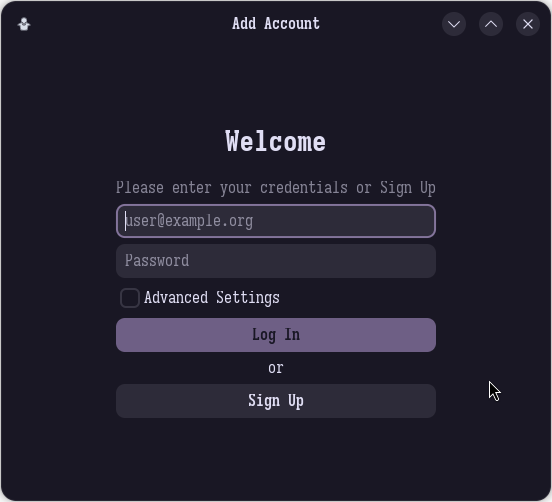
If you have an account simply log in. If you used disroot.org use your main disroot credentials.
Most servers use in-client registration instead of a custom web-based form.
Press Sign up.
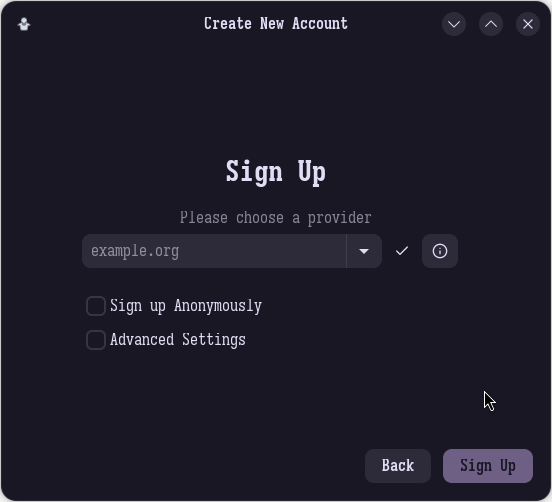
Type in the address of your provider and click Sign Up. Fill out the form and click Sign Up.
Congradulations! You have an XMPP account now!
For more information on how to use Gajim see the documentation.
XMPP basics
XMPP addresses (JIDs) follow the same format as E-Mail addresses: username@yourprovider.org
For example: justzvan@justzvan.xyz
A group chat in XMPP is called a MUC (Multi User Chat).
From now on, this guide will focus on Gajim.
Starting a DM or joining a public MUC
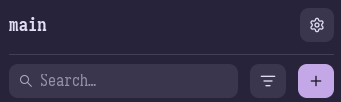
Press the + icon and then press Add Contact. Enter the address of the XMPP user you're trying to contact (or the MUC you're trying to join).
joining a MUC
If you entered a public MUC address you'll see this screen:
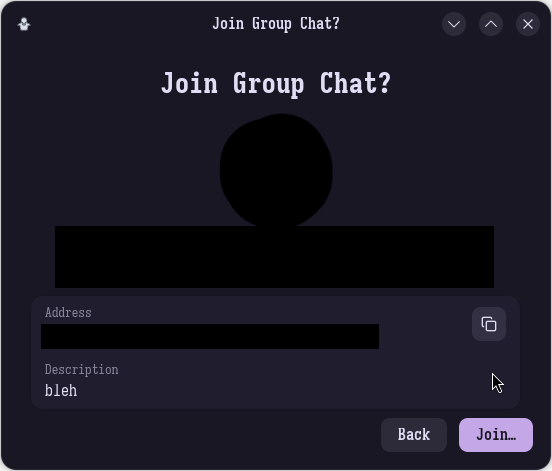
Press Join. You're in the MUC now!
starting a DM
If you entered the address of another XMPP user you'll get this screen:
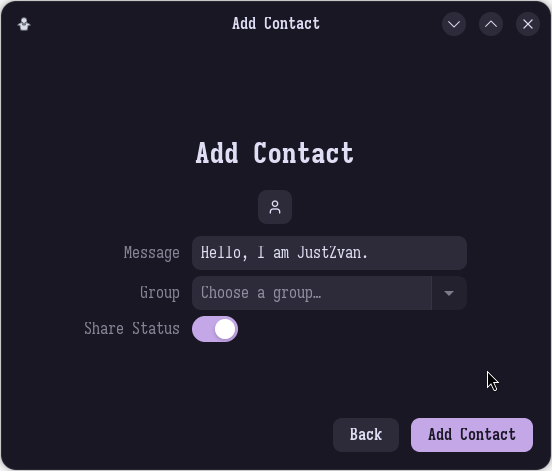
Press Add Contact.
A chat window will open. In the bottom right corner press the little padlock and select OMEMO to enable E2EE. This is VERY important.
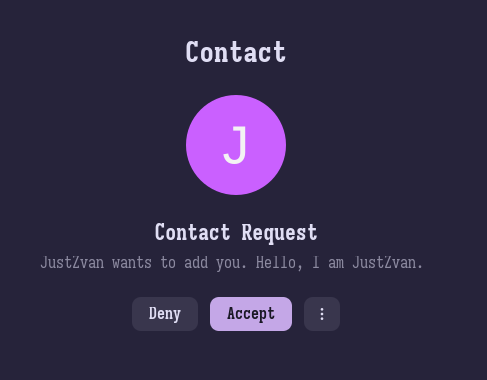
The user you tried to contact will get a Contact Request.
the end
Here you go! You now have an XMPP account and know the basics!
Wow did this take a long time to write.